
Show summary Hide summary
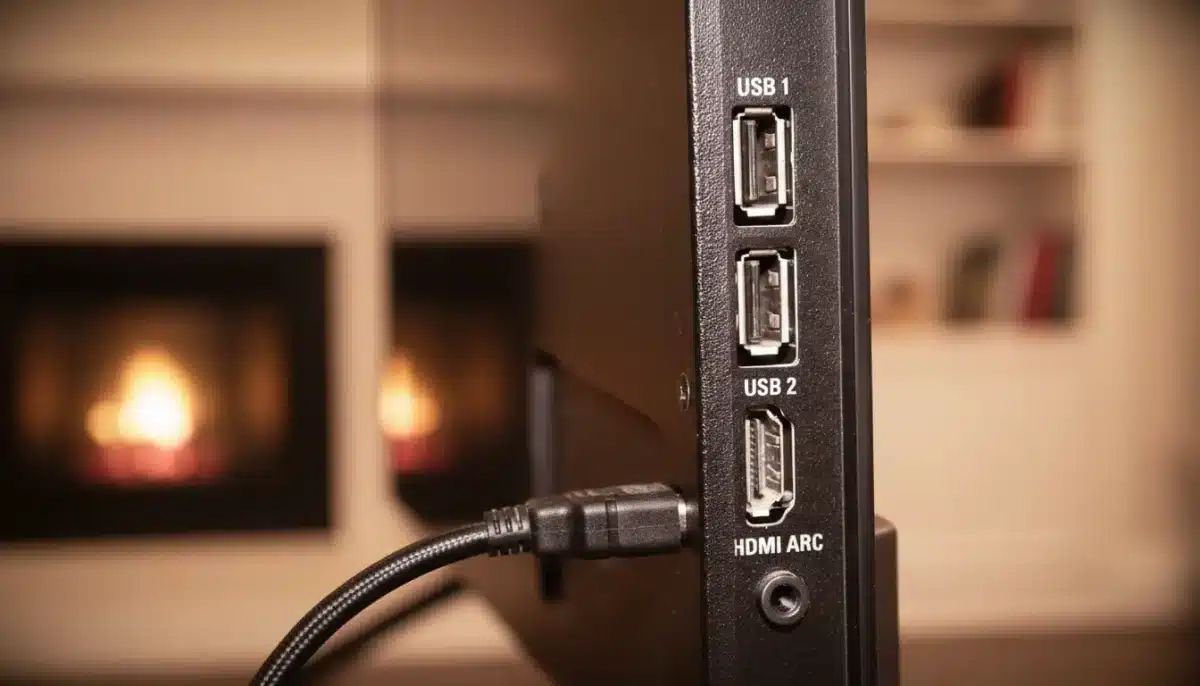
Let’s be honest: if your TV’s USB port were a character in a movie, it would be the unsung hero who quietly saves the day while everyone else is busy admiring the flashier leads. Most people shrug it off as “that port for playback from a thumb drive,” and move on. But lurking behind that humble little connector is a genuine treasure chest of possibilities waiting to transform your TV experience (and maybe save your phone’s life in a pinch).
Beyond Movies: The Obvious, the Useful and the Downright Clever
Modern TVs often hide an underestimated and frequently ignored port—yes, the USB port. Plug in a flash drive, and right away, your folders pop up on the big screen. Forget awkward screen-sharing failures or labyrinthine menus; your photos, videos, and memories are there in seconds (compatibility willing). Most current TVs recognize MP4, AVI, and MKV formats straight off the USB.
But wait, there’s so much more. If your TV supports recording, you’re just a quick connection away from capturing a show directly onto your flash drive or an external hard disk. Next time you want to rewatch, there’s no complicated process—just quick access to your recording. That external storage isn’t just a parking lot for videos; it acts as extra memory. More apps, easier updates. No annoying cycle of deleting favorites just to keep up.
Anglo-Saxon burial reveals “unprecedented” secrets: experts stunned by 1,400-year-old grave mysteries
What Your Instinctive Tree Choice Reveals About Your Personality—Experts Explain
Speed and Simplicity: No More Cables Olympics
All these nifty options mean you can avoid constant plugging and unplugging, and the classic relay race of file transfers between different devices. Less waiting, more watching! Navigating folders remains clear, playback launches in seconds, and the time saved quickly adds up. Simple changes like these make a world of difference, especially if your whole household shares the screen.
Game On: Keyboards, Mice, and Controllers
Ever tried typing a long search on your TV with the remote, letter by letter? Spare yourself! Stick a keyboard and mouse in that USB port, and navigation becomes a breeze. You’ll search faster, fill in fields with ease, and adjust settings down to the finest detail. Web browsing on your TV gets smoother, the pointer is responsive, and entering passwords is suddenly… pleasant.
- Plug-and-play keyboards and mice boost comfort—and speed.
- Controllers with cables become stable, responsive gamepads for compatible titles.
- Mini consoles powered by the TV free up wall outlets and keep setups tidy.
This plug-and-play approach changes everything, especially for folks who get frustrated by the TV remote. Navigation becomes more precise, faster, and—dare we say—fun for the family. Even if you’re not a tech whiz, these common accessories make the port feel like an accessible control hub.
Mirror, Charge, Repeat: Your Mobile’s New Best Friend
With the right USB-C to USB-A adapter, certain smartphones can connect to the TV. Depending on your devices, your phone’s screen duplicates instantly—a lifesaver for simple meeting presentations or showing off vacation photos on a big display. Documents, slideshows, useful web pages: all show up clearly, and your TV becomes the central connector you never knew you needed.
And surprise—your TV isn’t just a passive bystander either. Out of battery after a long day and no charger in sight? That USB port can revive your phone or tablet enough to get you through. Whether you’re traveling, organizing a workspace with too few outlets, or just caught in a bind, a quick connection can save the day. It’s not rapid charging, but it gets the job done for emergencies.
Of course, what you can do will depend on your tech. Some smartphones handle screen mirroring like champs, others less so. Recording and playback features vary between TV brands. But experiment, one step at a time, and you’ll soon develop the reflex that truly simplifies your digital routine.
Here’s the real kicker: your TV’s USB port isn’t just a window to extra storage. It’s a gateway for local playback, into the world of accessories, mobile mirroring, and emergency charging. Tailor each use to your real needs with an approach that avoids unnecessary complexity. Explore calmly—you’ll discover new ways to save time each week, not to mention fewer headaches when everyone crowds around the screen.
So next time you spot that small USB port, remember: it’s not the sidekick—it’s the secret weapon in your living room’s digital arsenal.