
Show summary Hide summary
- How the clip raised red flags about device safety
- What makes lithium‑ion batteries risky when damaged
- How viewers reacted and the urgent instructions they gave
- Step‑by‑step actions to take if you find a swollen or damaged tablet
- Reliable options for disposal and next steps
- Why quick action matters for your home and health
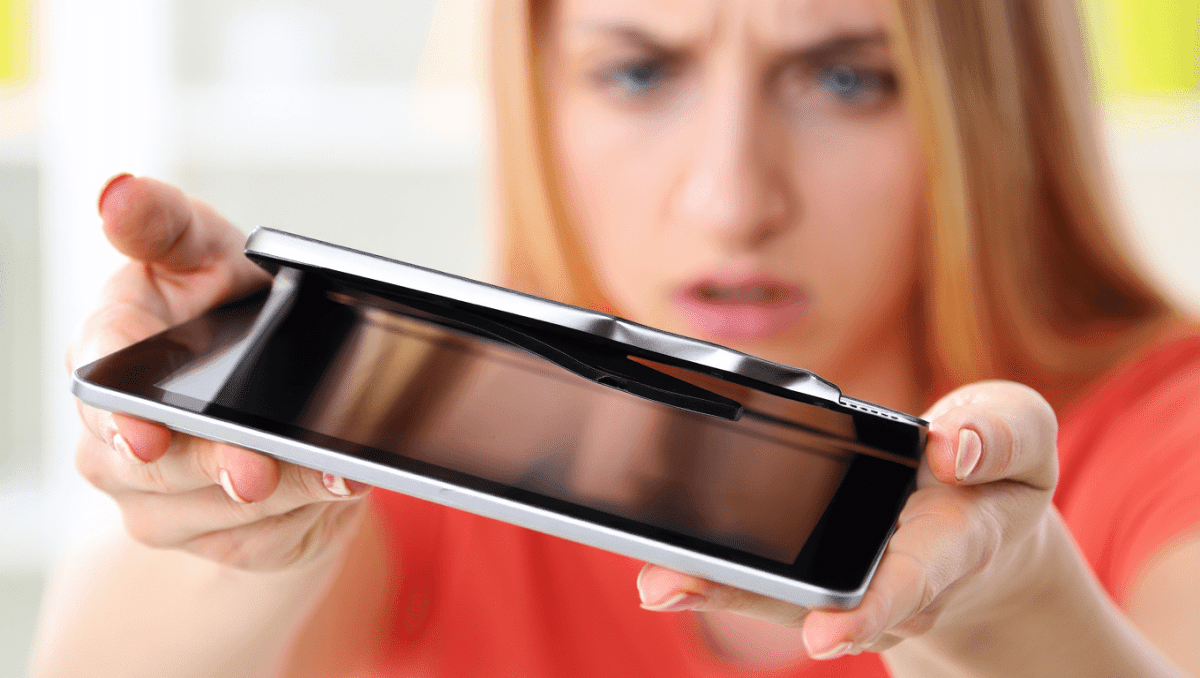
A short video of a visibly swollen iPad has ignited alarm across social media, as viewers warn the device may be an immediate hazard. The clip shows the screen shifting away from the chassis and a soft, ballooned layer where the battery sits. Comments flooded in with urgent safety tips and disposal warnings.
How the clip raised red flags about device safety
The TikTok user filmed the iPad still powering on while the case had visibly separated. She asked viewers if the tablet was “broken,” and many answered with stark safety concerns. The image of a bulging device prompted rapid reaction online.
Anglo-Saxon burial reveals “unprecedented” secrets: experts stunned by 1,400-year-old grave mysteries
What Your Instinctive Tree Choice Reveals About Your Personality—Experts Explain
People who saw the video emphasized that a device can appear functional and still be dangerous. The inflated area beneath the screen was the main cause of concern. Viewers noted the risk could be immediate or delayed.
What makes lithium‑ion batteries risky when damaged
Lithium‑ion cells are compact and energy dense. That design delivers long runtimes. It also means failures can be sudden and intense.
- Heat, overcharging, manufacturing flaws or physical damage can trigger internal short circuits.
- When internal layers fail, gases can build up and force the pack to swell.
- A compromised cell can catch fire minutes, hours or even days after the initial failure.
Swollen or punctured batteries can produce fires that resist normal firefighting methods. Water may not stop these flames and can make certain reactions worse.
How viewers reacted and the urgent instructions they gave
Replies to the clip were direct and consistent. Many advocated removing the tablet from the living area and treating it as a hazardous item. Suggestions included using non‑combustible storage and seeking professional disposal.
- Power down the device immediately and stop charging it.
- Place the device in a bucket of sand or absorbent material like cat litter to limit oxygen access.
- Move it into a metal container and store it outside until it can be handed over to specialists.
Multiple commenters warned: do not toss a swollen battery into regular trash. Several shared stories of home fires linked to discarded lithium packs.
Step‑by‑step actions to take if you find a swollen or damaged tablet
- Unplug the charger. Do not attempt to charge the device again.
- Power it down if it is safe to do so. Avoid pressing or flexing the case.
- Wear gloves and eye protection when handling a damaged battery.
- Move the device outdoors to a non‑combustible surface if possible.
- Place the device in a bucket of dry sand or cat litter to help contain any thermal event.
- Store the bucket in a well‑ventilated, sheltered area away from flammable materials.
- Contact a certified e‑waste recycler, the device manufacturer, or a household hazardous waste facility for disposal instructions.
Avoid using water to extinguish a battery fire and do not place the device in a household trash bin. If an active fire starts, call emergency services immediately.
Reliable options for disposal and next steps
If you cannot safely store the device, seek professional help right away. Options include:
- Manufacturer or retailer take‑back programs that accept damaged batteries.
- Local household hazardous waste centers that handle lithium devices.
- Certified electronics recyclers with procedures for swollen cells.
- Contacting local fire or municipal services for advice if you suspect immediate danger.
Before transport, confirm the receiving facility will accept compromised batteries and follow any packing instructions they provide. Many facilities require the item be placed in a non‑combustible container first.
Why quick action matters for your home and health
Damaged lithium batteries can release toxic fumes if they vent or burn. Smoke and gases from a failing cell pose inhalation hazards and can harm property.
Promptly isolating a suspect device reduces risk to people and property. Simple precautions can prevent escalation into a dangerous incident.